
$19.99 PersonalRuntimev1.1.0Live on Fab ↗

A photo mode where the player directs the shot.

A free camera and a real lens are only the start. With Lensman your players pose your characters, make them look into the lens and smile, place their own lights, and finish the picture with frames, stickers and your game's logo. Looks travel as share codes, and short clips come out as GIFs. Press P in game: it works the moment the plugin is enabled.

Engine
UE 5.1 – 5.8
Runs on
Windows · Mac · Linux · Android · iOS
Type
C++ runtime plugin, source included
License
$19.99 Personal · $39.99 Professional

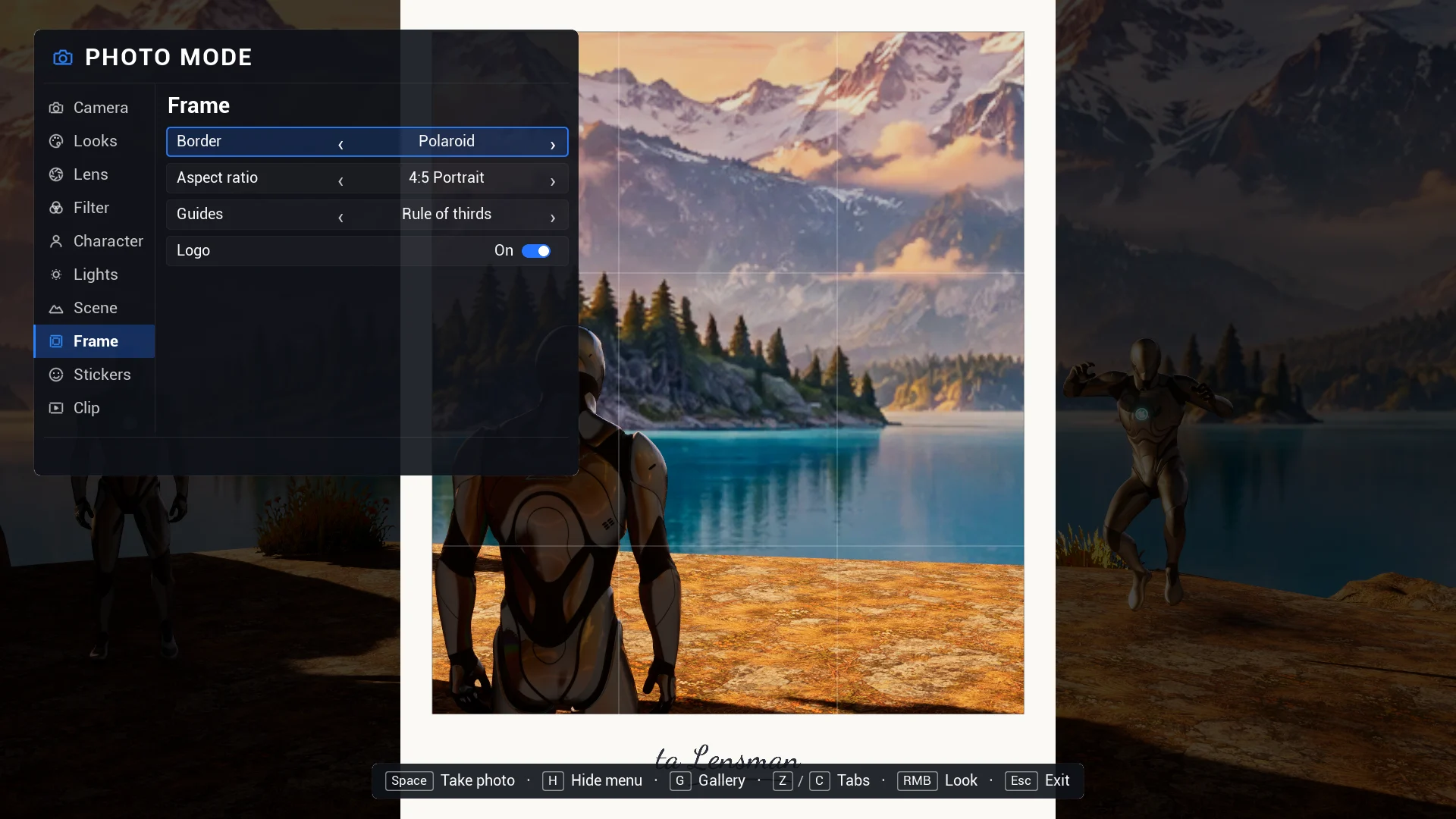
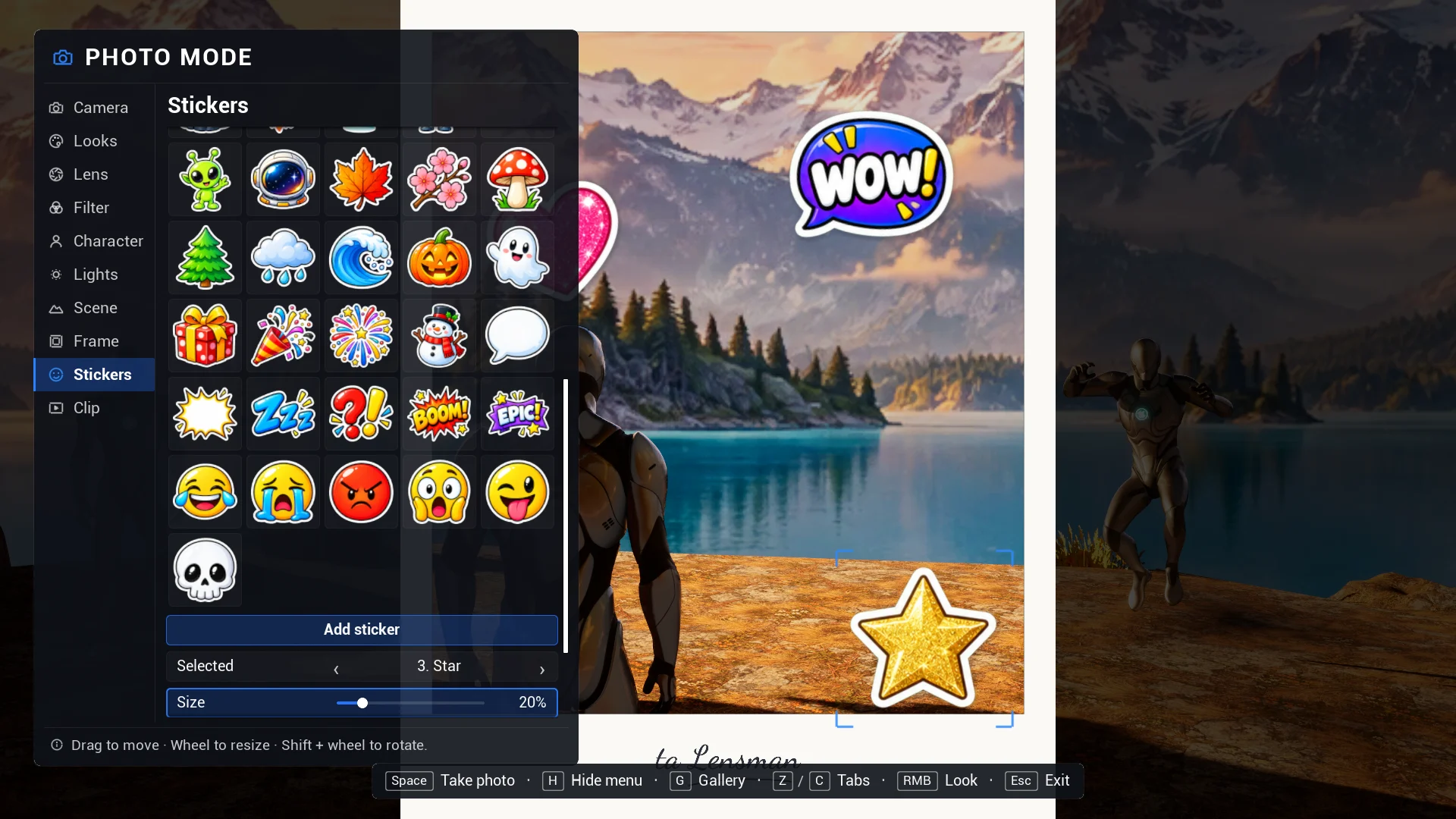
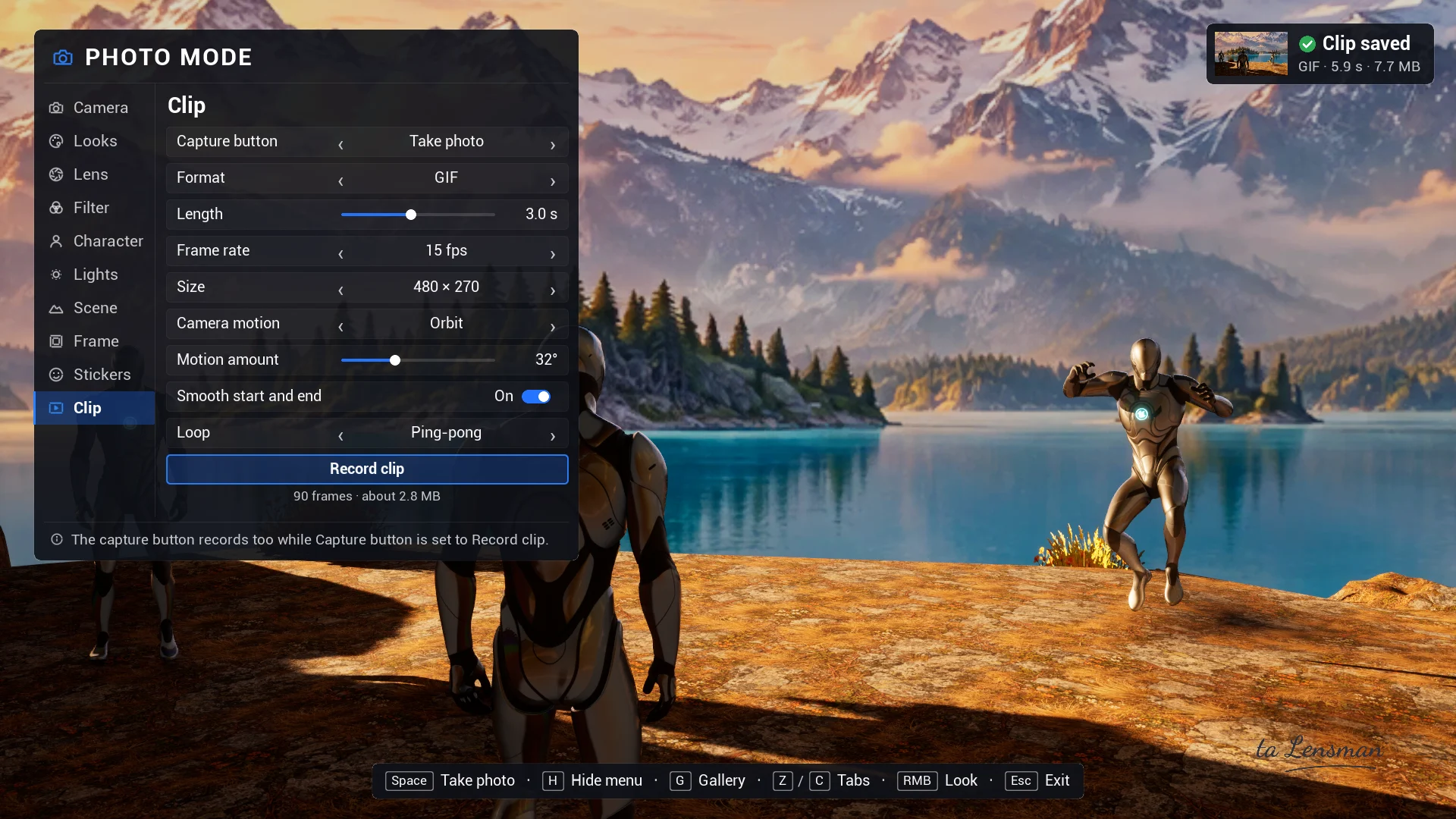
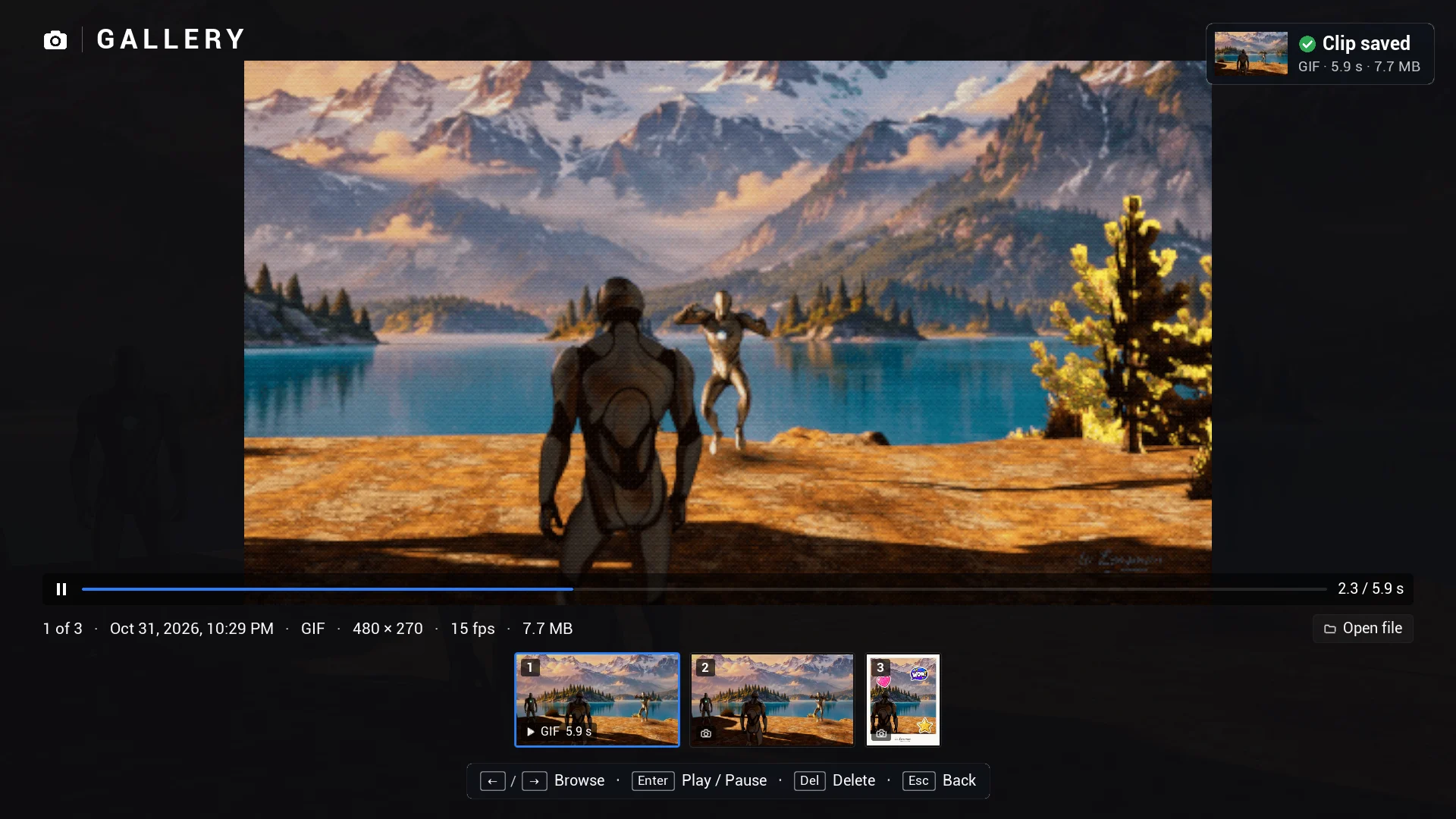
Interactive demo in the plugin's showcase level. Use the mouse (tabs, rows, ‹ ›, sliders, tiles, drag the stickers, the buttons at the bottom) or the keyboard: Z / C tabs, ↑ ↓ ← → rows, Enter apply, Space photo or clip, G gallery.

Swipe sideways to see the whole screen.

Here, lens effects, filters, looks, share codes, frames, stickers, photos and clips run in your browser on a still of the level; a share code made here works in a game with Lensman. In your game the camera flies through the scene, and depth of field, poses, lights and the sun work in 3D, as in the captures below.

The real thing

Ten tabs, from the lens to the gallery.

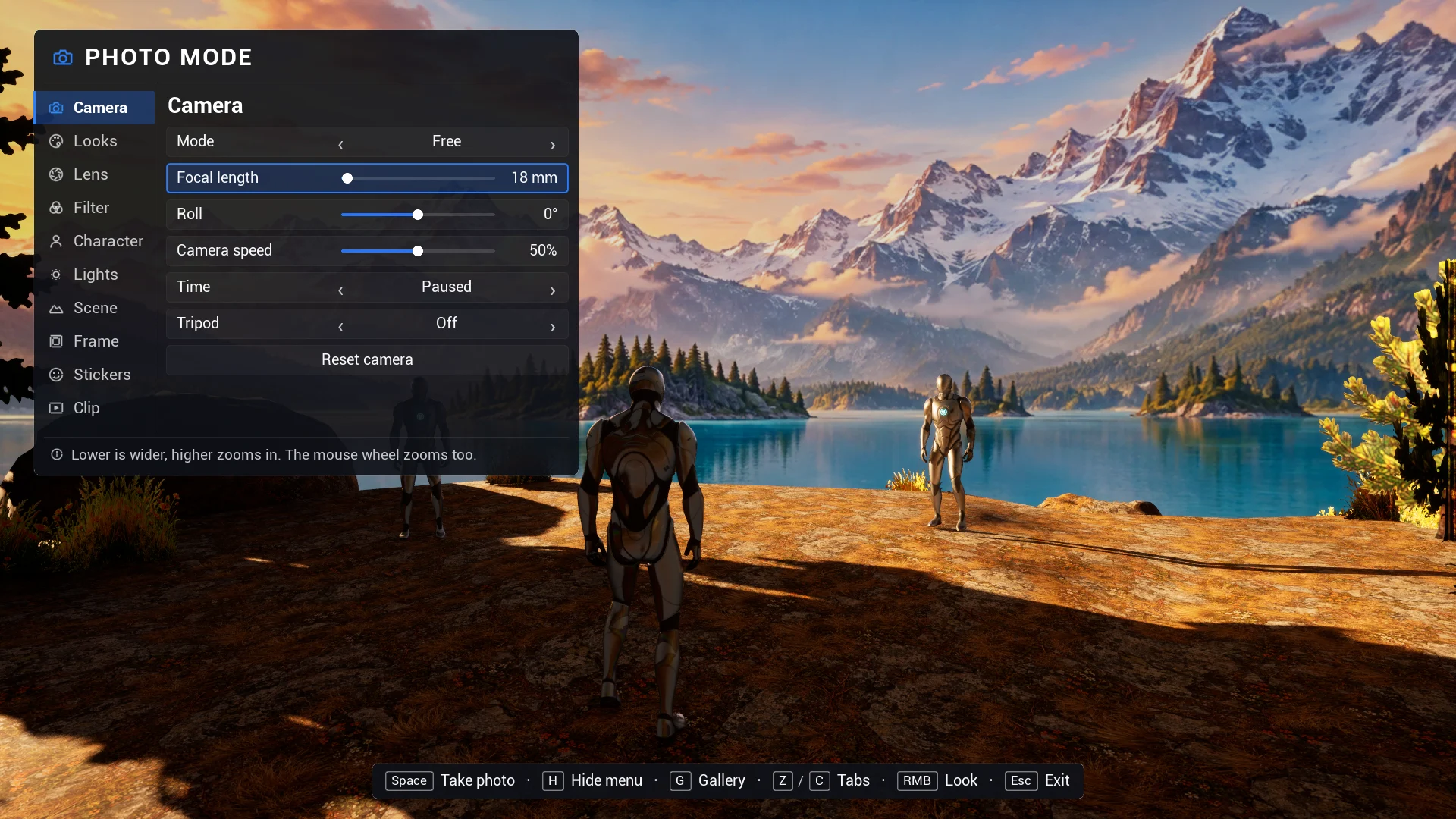
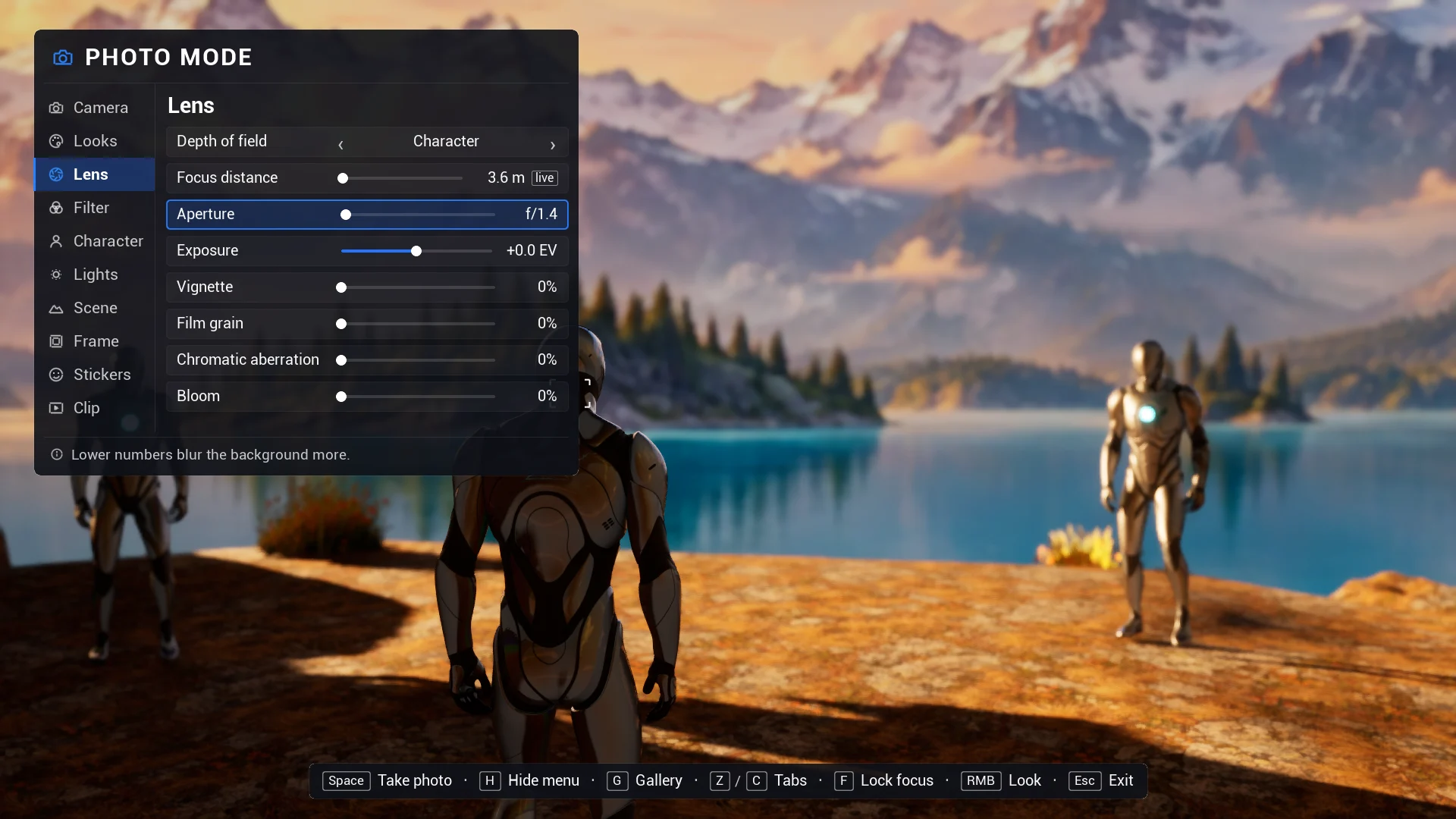
Captures of the photo mode running in the showcase level, with the UE5 mannequins and the game's handwritten logo.

ta Lensman photo mode, Camera tab: The Camera tab: free or orbit camera, focal length in millimetres, roll, speed, the time mode and the tripod lock.
The Camera tab: free or orbit camera, focal length in millimetres, roll, speed, the time mode and the tripod lock.
Straight from the gallery

Photos players are proud to share.

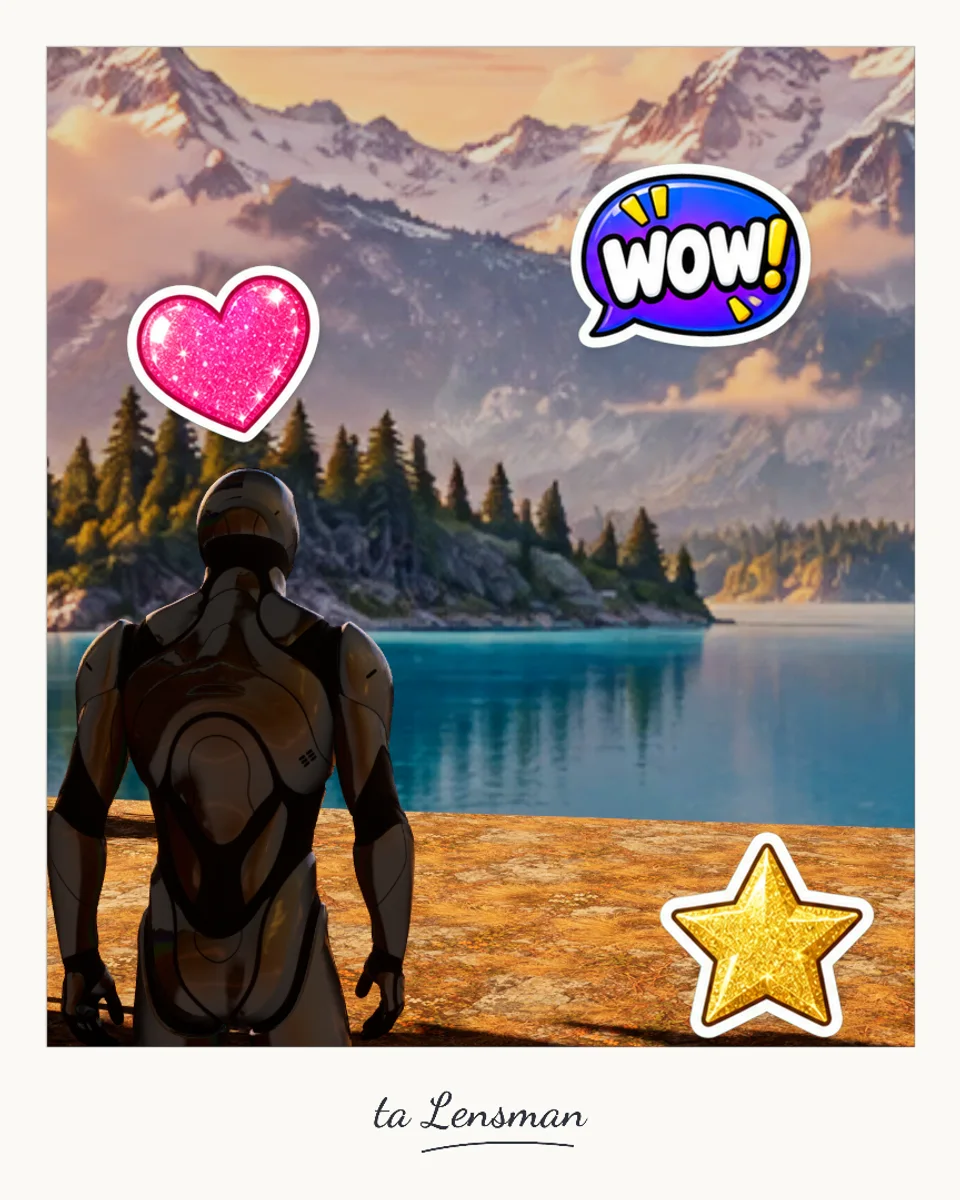
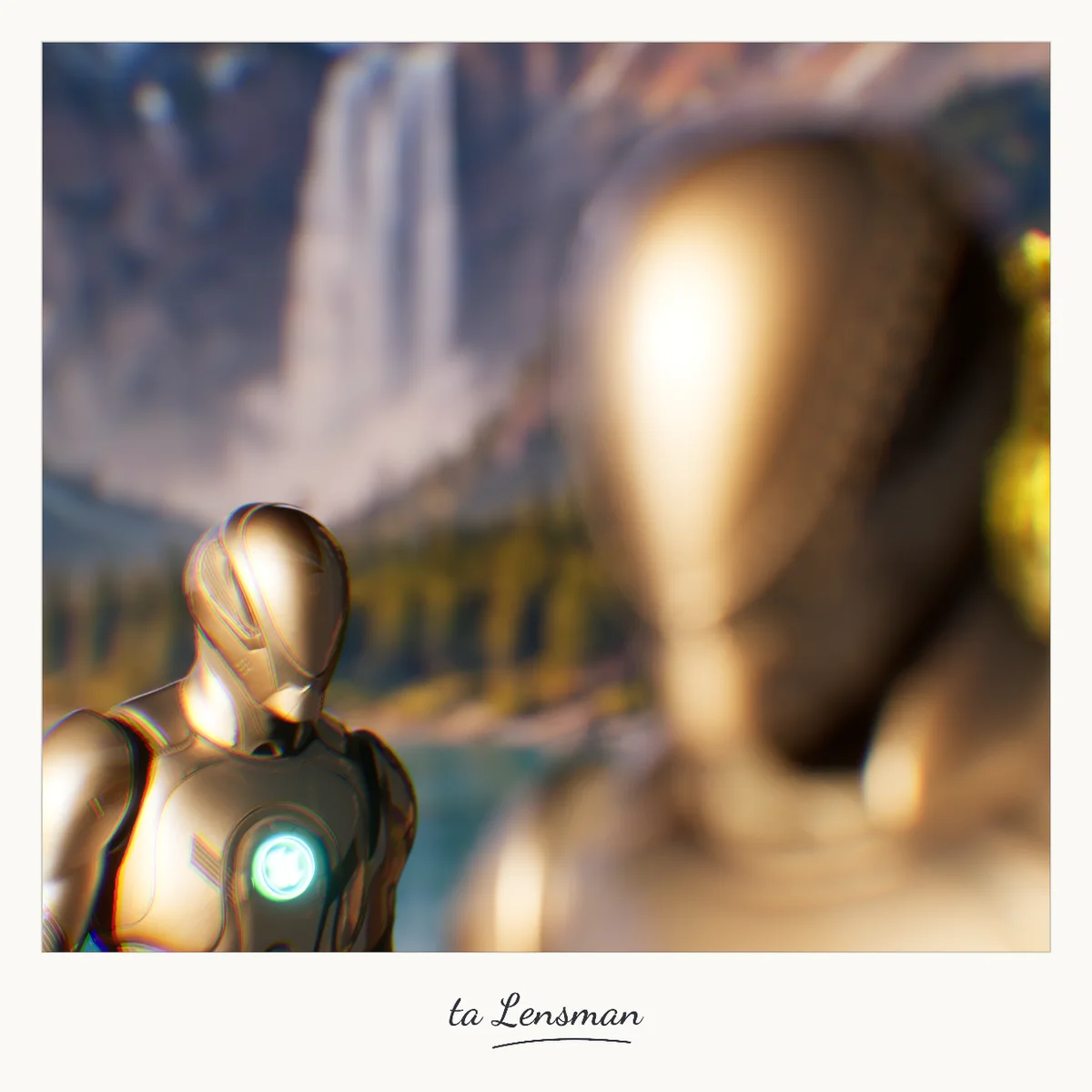
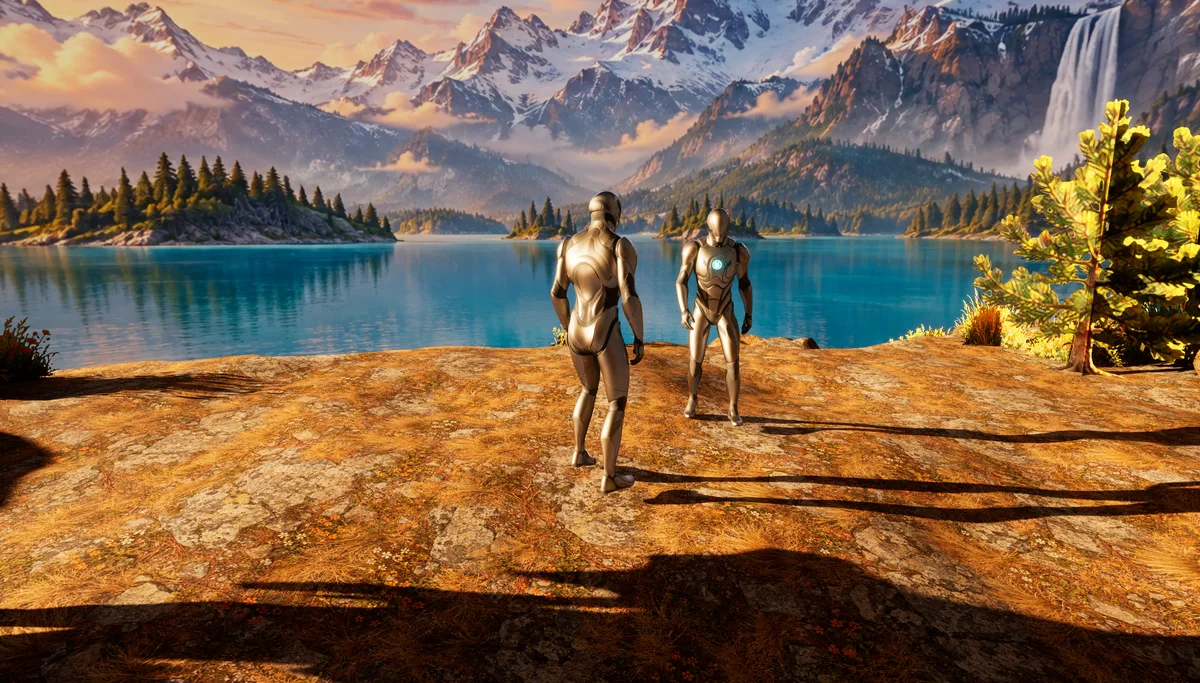
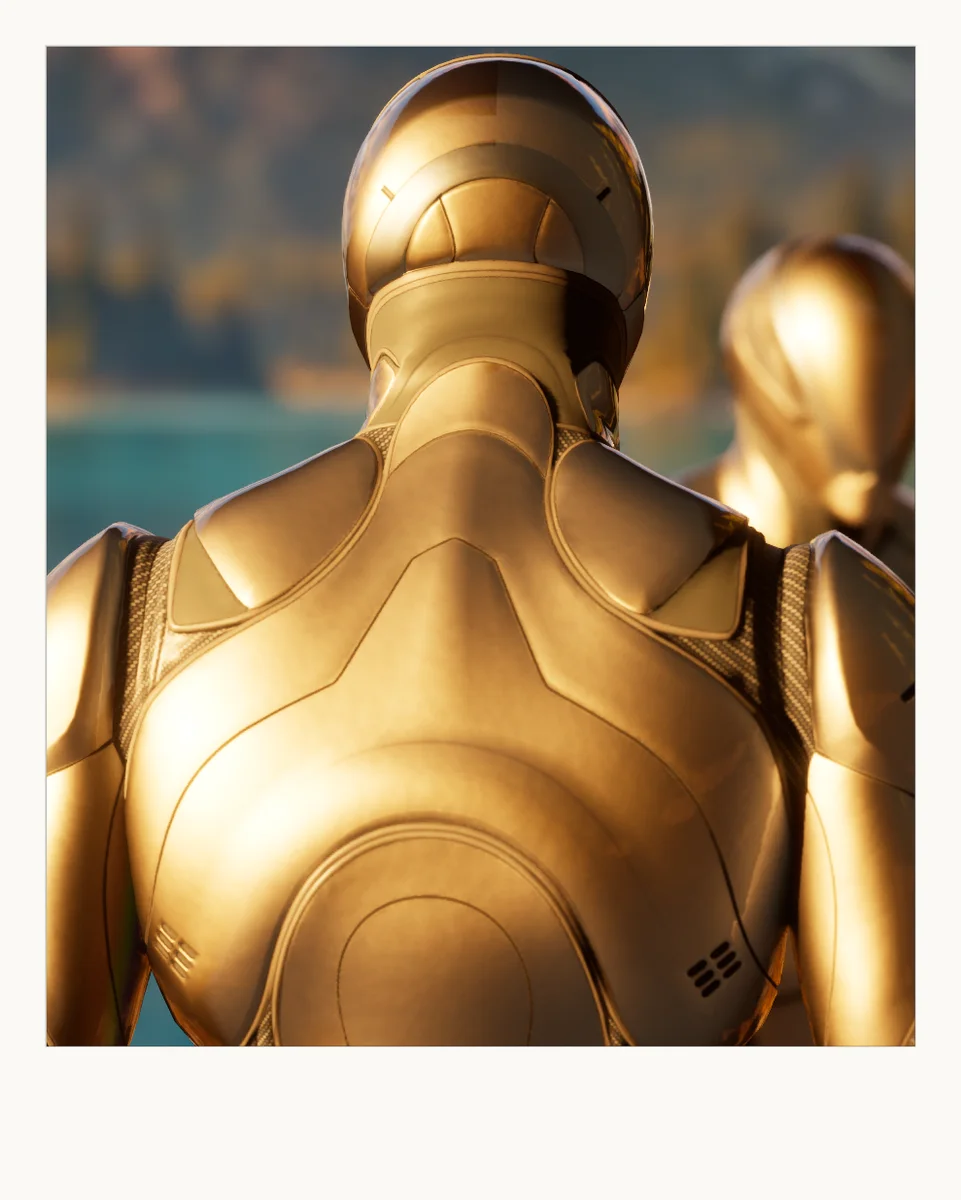
Real photos taken with Lensman in the showcase level. Frames, stickers and the logo are drawn into the image at full resolution, exactly where they were on screen.

A Polaroid photo with a heart, a Wow! and a star sticker over a mountain lake and the logo belowA square photo with shallow depth of field on two characters at a waterfallA wide photo of two characters by the lake with a soft backgroundA portrait photo in a white frame
Features

Everything a photo mode needs, and the fun part on top.

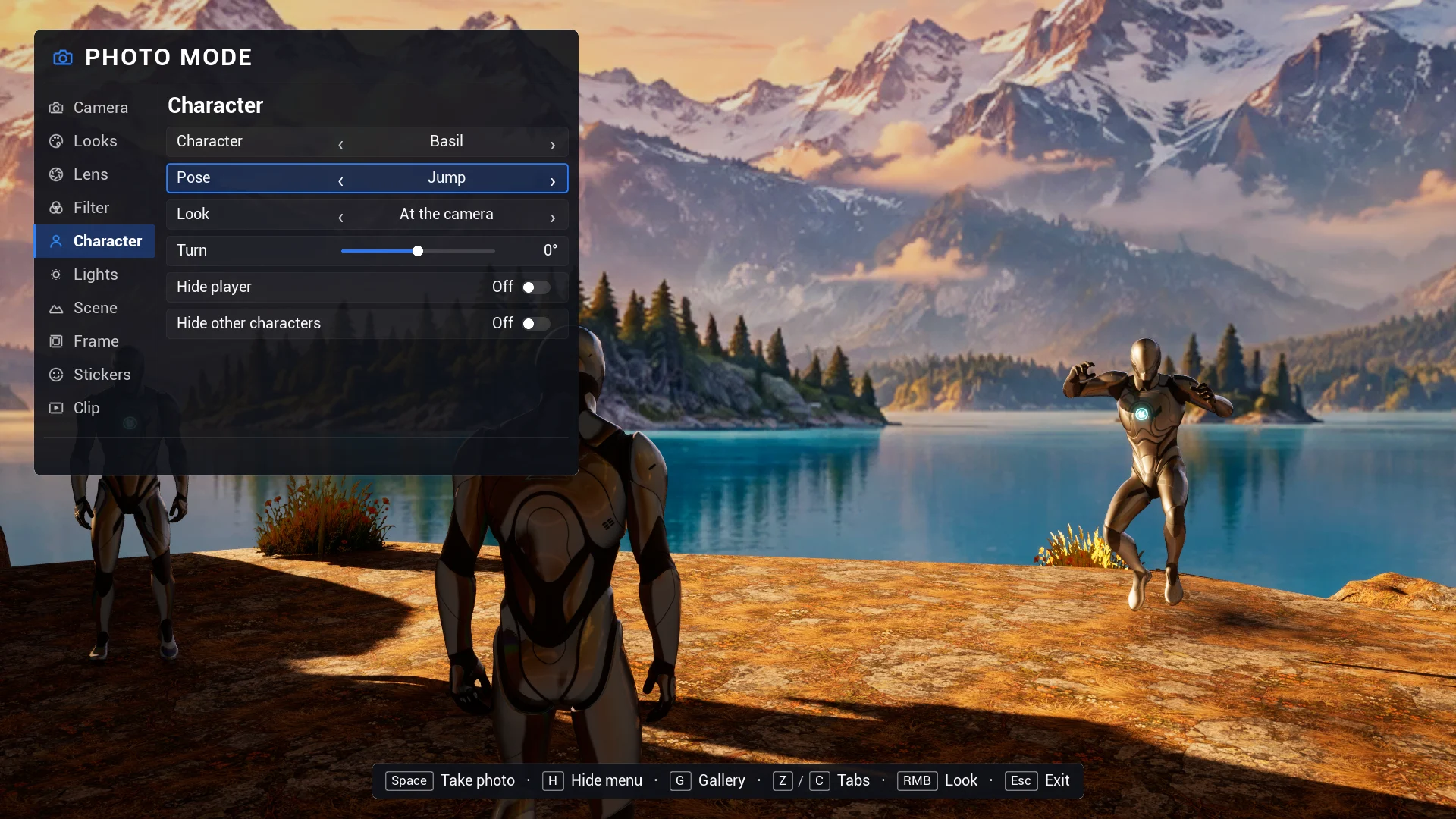
Characters that pose

Your animations play on the player and nearby characters, even while the game is paused. Heads and eyes follow the lens, and eight expressions work with ARKit, Character Creator or VRoid style morph targets. Poses run on a stand-in copy, so your Animation Blueprints are never touched.

A real lens

Focal length in millimetres, aperture, and focus that locks on any object and follows it while the camera moves.

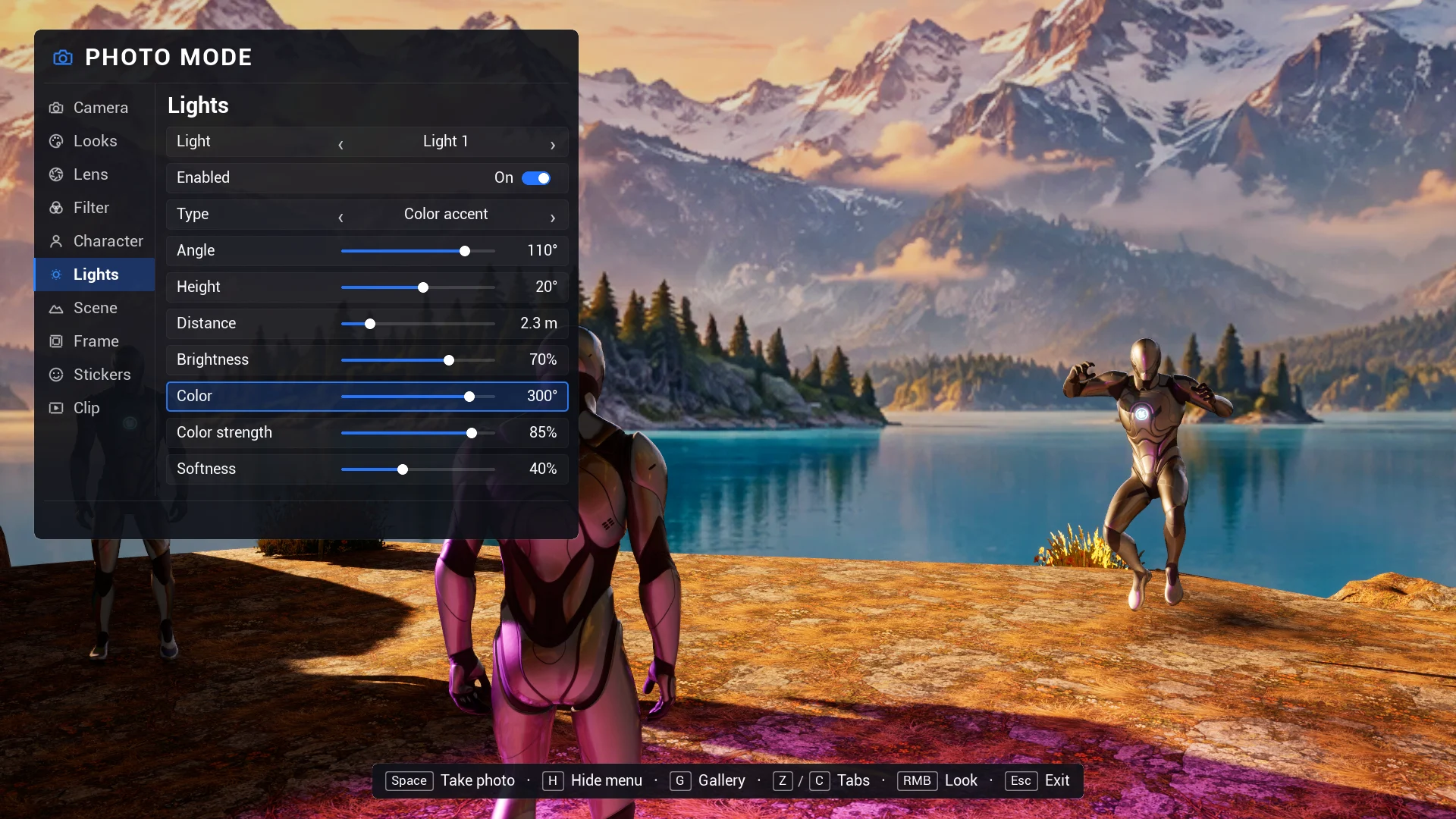
Photo lights

Up to four lights aimed at the selected character: key, fill, rim, top, under or a colour accent.

Frames, stickers, logo

Eight nine-sliced frames, sixty-one stickers in seven packs and your logo, drawn into the photo at full resolution.

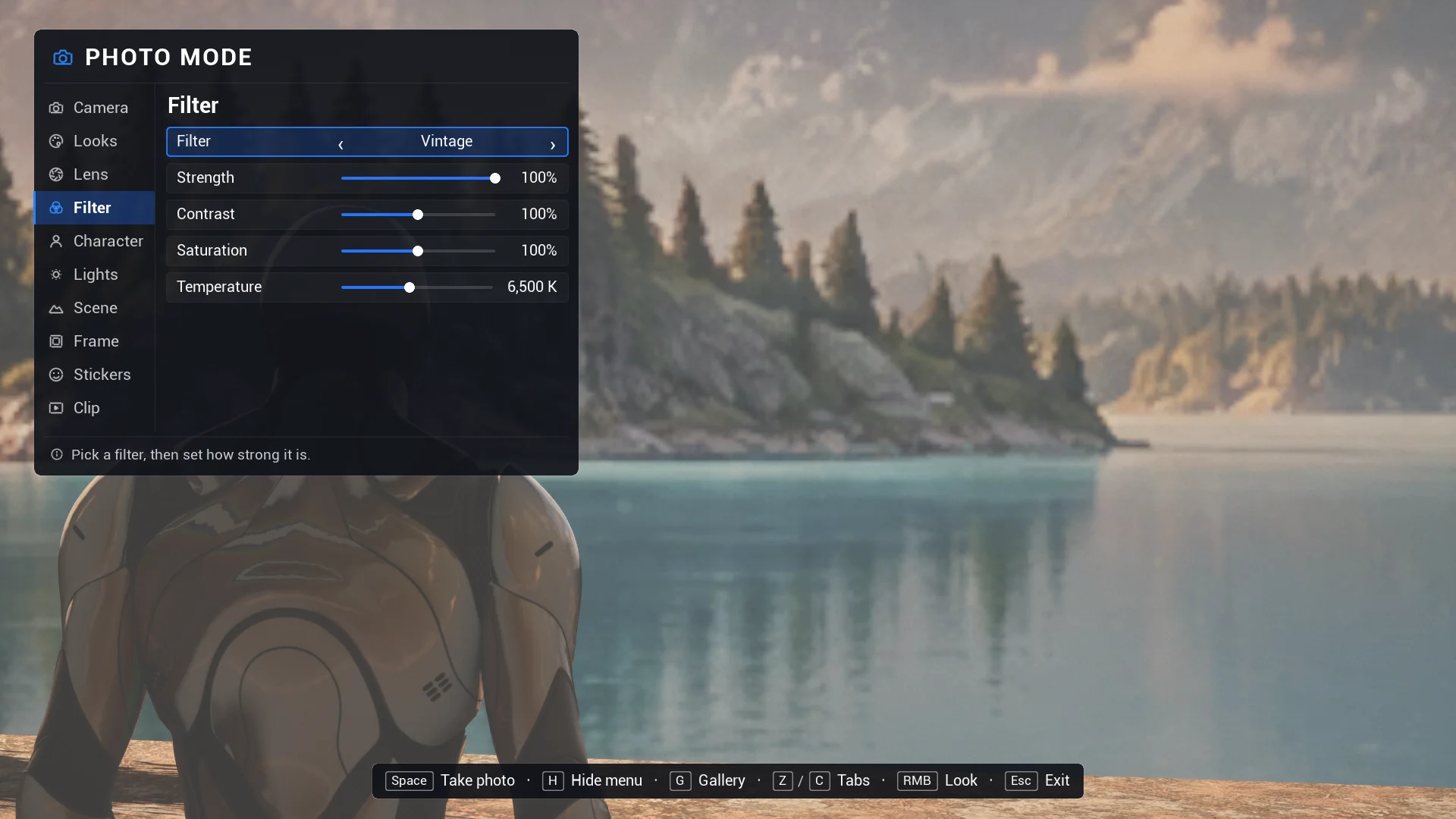
Filters and looks

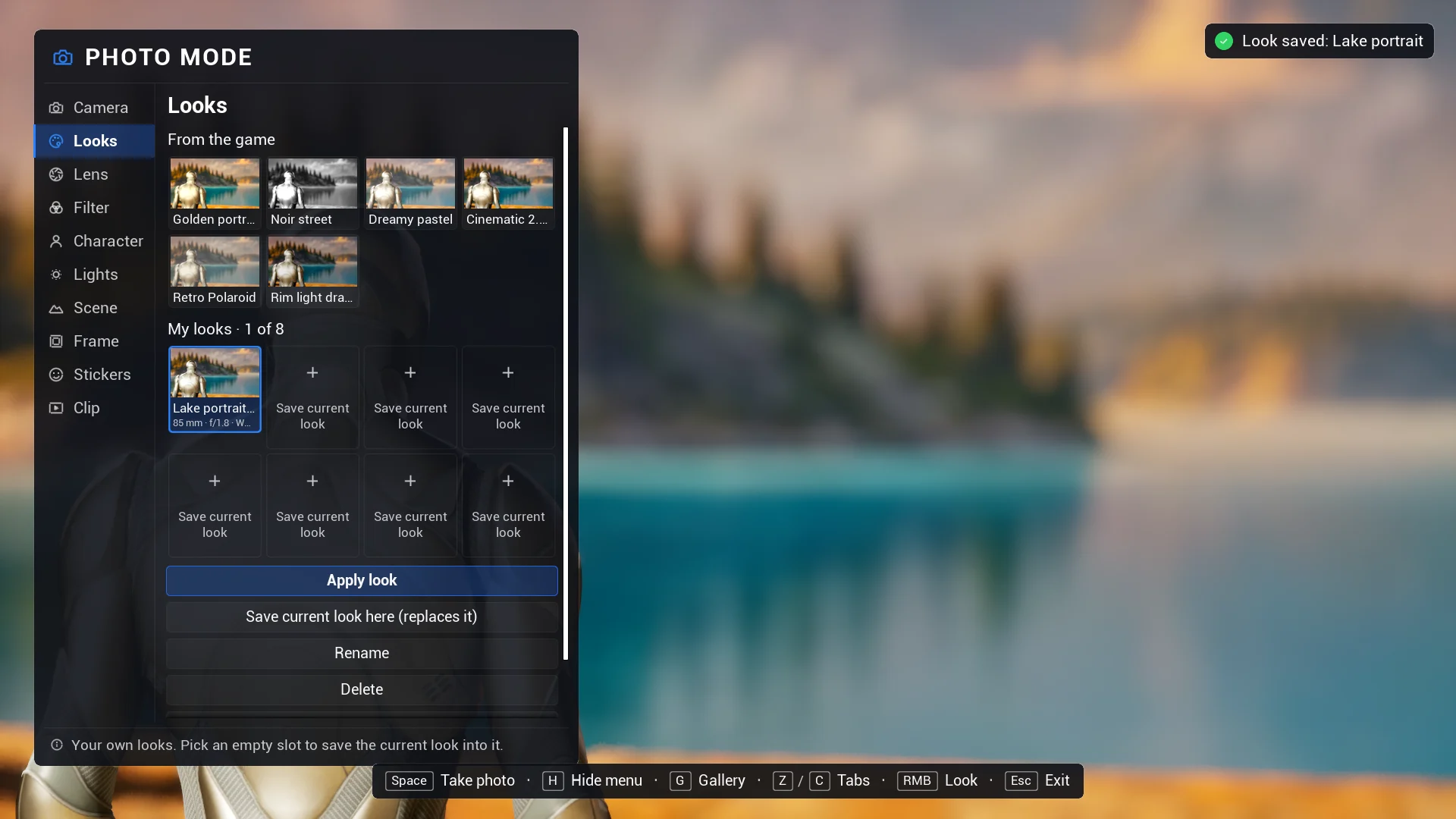
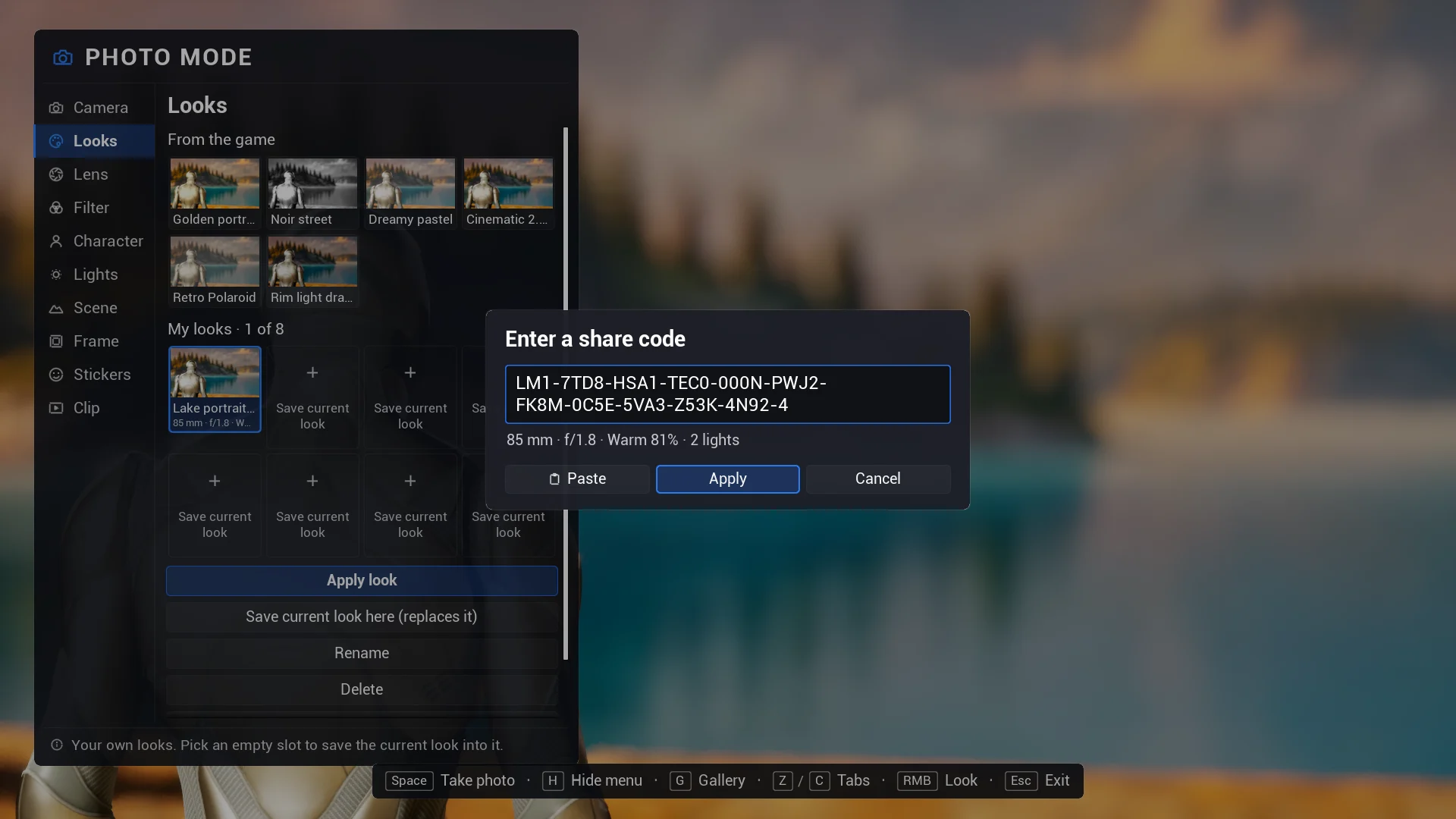
Eleven built-in filters plus yours. Six looks, your game's own and eight slots for the player, shared as short codes.

Clips

GIFs on every platform and MP4 videos on Windows, with camera motion and ping-pong loops. The gallery plays them.

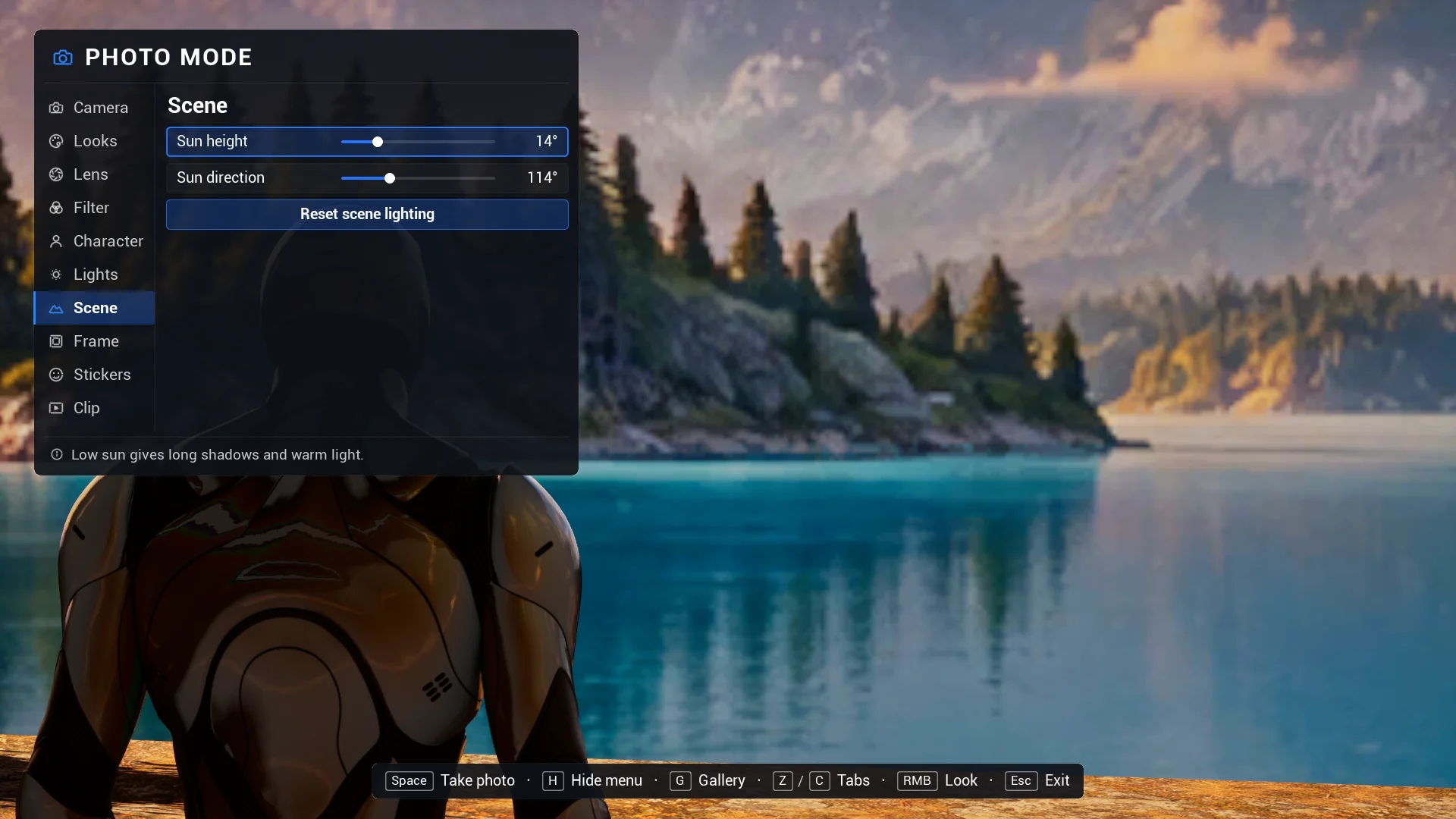
Scene and tripod

Turn the sun or drive your time-of-day system, and lock the camera on a tripod while you change the menu.

Gamepad and CommonUI

Everything works with a gamepad, prompts follow the device, and photo mode sits above your CommonUI menus.

Your game's rules

Block it in cutscenes, keep the camera in a box with Lensman Areas, hide markers, restore everything on exit.

Your UI, your data

Restyle the screen, design your own with named widgets, or build a new one: the whole menu is data in Blueprint and C++.

Controls

Keyboard, mouse or gamepad.

Switching on the fly, with button prompts that show the keys actually mapped. Enhanced Input throughout; the keys are yours to change.

Keyboard and mouseGamepad
Move, up and downW A S D, E, QLeft stick, triggers
LookHold the right mouse buttonRight stick
ZoomMouse wheelFocal length row
Lock focusClick the picture, or FRight stick (R3)
Tabs, rows, valuesZ / C, ↑ ↓, ← →LB / RB, D-pad
Take photo, record a clipSpaceY
Hide menu, galleryH, GX, View
Back, exitEscB

All controls

Everything is data

One profile, or your own code.

A profile asset decides what your players get: poses, filters, looks, frames, stickers, logo, clips, limits, capture size. From code, open photo mode from your menu, block it in cutscenes, set any row and react when photos are saved.

Blueprint & C++ docs
MyPauseMenu.cpp
UTALensmanSubsystem* Lensman = UTALensmanLibrary::GetLensman(this);

// Keep photo mode out of cutscenes; blocking also closes it.
Lensman->SetPhotoModeBlocked(TEXT("Cutscene"), bInCutscene);

// Open it from your own pause menu, with a portrait look.
if (Lensman->EnterPhotoMode(PortraitProfile))
{
    Lensman->SetControlValue(TALensmanIds::FocalLength, 85.f);
    Lensman->SetControlValue(TALensmanIds::Aperture, 1.8f);
    Lensman->StepControl(TALensmanIds::Filter, +1);
}

Lensman->OnPhotoSaved.AddDynamic(this, &AMyHUD::HandlePhotoSaved);
Get Lensman

$19.99 Personal. $39.99 Professional.

Sold on Fab under the Fab Standard License. Both licenses get the same plugin: every feature and the full C++ source, for Unreal Engine 5.1 – 5.8.

Lensman is available on Fab now.

Personal$19.99

For individuals and companies with up to $100,000 in gross revenue in the last 12 months.

Professional$39.99

For companies with more than $100,000 in gross revenue in the last 12 months.

Get Lensman on Fab

Need several seats or a studio agreement? Contact us.

FAQ

Questions, answered.

Still curious? Read the full FAQ or contact us.

How much does Lensman cost?

The Fab Personal license is $19.99: individuals and companies with up to $100,000 in gross revenue in the last 12 months. Above that, the Professional license is $39.99. Both get the same plugin with every feature and the full C++ source.

Does it work without any setup?

Yes. Enable the plugin and press P in game. The default profile includes eight frames, sixty-one stickers in seven packs, six looks and a shutter sound. Make your own profile when you want your poses, filters, looks and logo.

Do poses change my Animation Blueprint?

No. A pose plays on a stand-in copy of the character’s mesh while the real mesh is hidden. When photo mode closes, the stand-in is removed and the character continues exactly as before.

Which animations can I use as poses?

Any Anim Sequence or Montage that fits the character’s skeleton: single-frame poses or loops. No animations ship with the plugin.

Do expressions work with my characters?

They set morph targets by name, matched loosely, so ARKit, Character Creator and VRoid style blend shapes work with the eight built-in expressions. Faces driven only by curves or Control Rig are not changed.

My game uses CommonUI. Will my pause menu block photo mode?

No. With the Common Game Viewport Client, photo mode becomes the active CommonUI layer above your menus, and closing it returns to the menu it was opened from.

Does it work in multiplayer?

Yes. Photo mode is local to the player who opens it: the world keeps running, and poses, hidden actors and lights are only seen by that player. You can also turn it off for online games.

Can players share their looks?

Yes. Any look can be copied as a short share code (LM1-…) that other players enter to get the same lens, filter, frame and lights. The code box checks the code as it is typed, warns about typos and says when a code comes from another game.

What kind of clips does it record?

Short clips with the same frame, stickers and logo: GIFs on every platform, MP4 videos on Windows. The camera can move by itself while recording, and the clip can loop forward or ping-pong. Clips have no sound.

Which platforms does it run on?

Unreal Engine 5.1 to 5.8, in games on Windows, Mac, Linux, Android and iOS. It has been tested on Windows. MP4 clips are made on Windows only; clips are GIFs on the other platforms.