Free Personal licensev1.1.0Live on Fab ↗

Your Blueprints, documented and audited.

Scan the project and get a searchable website with every Blueprint, its variables, functions, events, components and pictures of its graphs, plus a list of what to fix, the Blueprints worth moving to C++ and a safe cleanup. Copy any Blueprint as text for your AI assistant. No account, nothing leaves your machine.

Engine
UE 5.0 – 5.8
Output
HTML site · Markdown · JSON · AI text
Type
C++ editor plugin, source included
License
Personal free · Professional $29.99

Interactive demo with the plugin's real report for its test project. Sort, try Copy for AI and Clean up, see the C++ migration page, then Export docs.

ta Blueprint ScribeSample project
ta Blueprint ScribeDocument and audit your Blueprints
--
Blueprint healthNot scanned yet
0Blueprints
0Nodes
0Documented
0Complexity
Kind
Nothing scanned yetScan the project or a selection to document and audit your Blueprints.
Scan the project or a selection to document and audit your Blueprints.bytridiARTWebsiteContactDocumentationv1.1.0
Live sample

This is what you get.

The real documentation site Blueprint Scribe exported from the demo project: 14 assets,14 graph images and the audit. Search with /, open a Blueprint, click a graph to zoom.

Docs/Blueprints/index.htmlOpen in a new tab

Also in the export: scribe.json, the C++ migration report, one Markdown file per asset, for example BP_Door.md, and the AI-ready text, for example BP_Door for AI.

The real thing

Native Slate panel, right inside Unreal Editor.

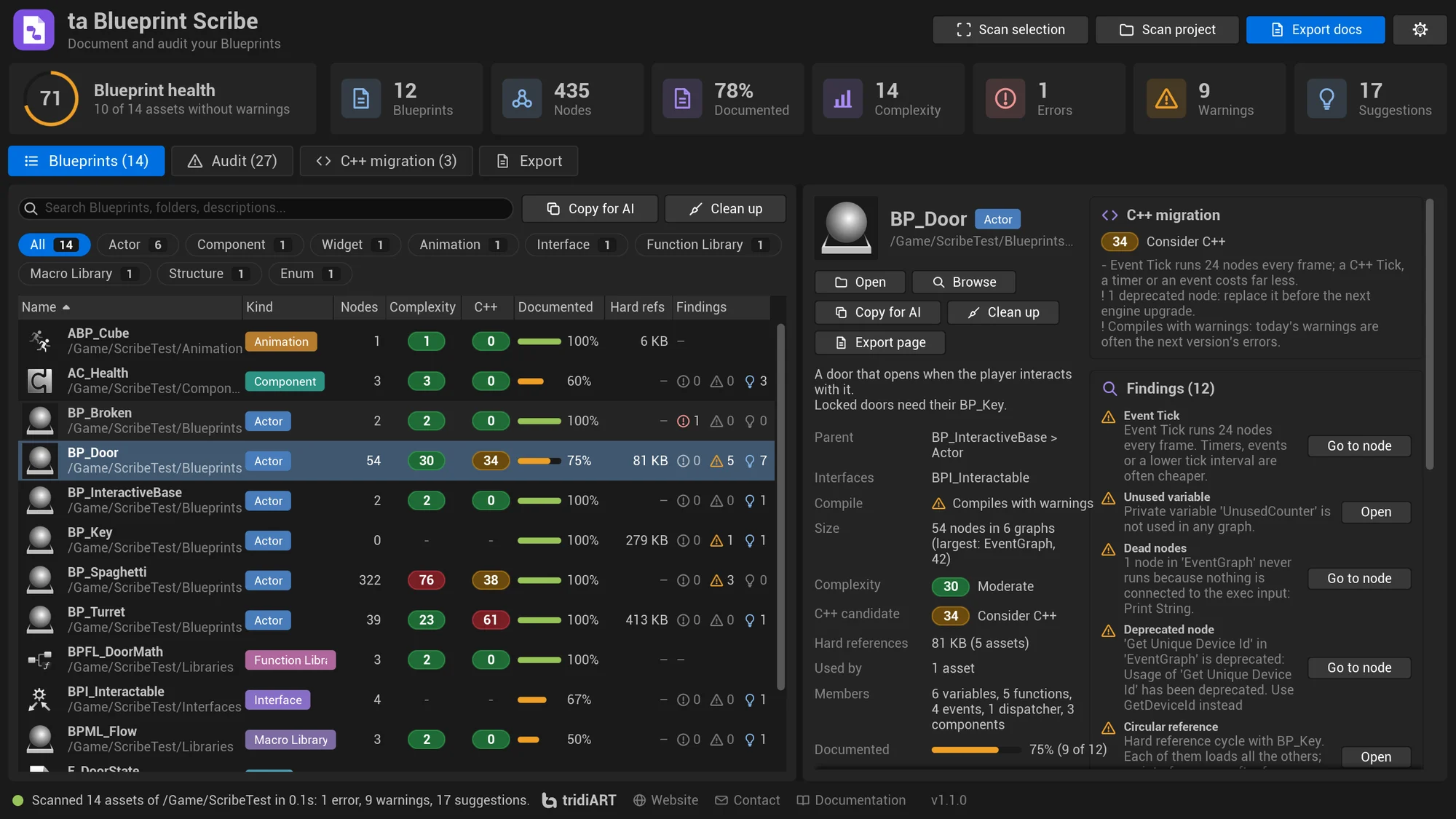
ta Blueprint Scribe Blueprints page: Blueprint health 71, the table with Complexity and C++ columns, and BP_Door with its C++ migration card and findings
14 assets of the test project. BP_Door is picked: complexity 30, C++ score 34 "Consider C++", and 12 findings with Go to node.
Features

Documentation nobody has to write by hand.

Everything the Blueprint editor knows

One page per asset: Actor, Component, Object, Widget and Animation Blueprints, interfaces, function and macro libraries, structures and enums. Parents, components, variables with their flags, functions with inputs and outputs, events, RPCs, dispatchers, widget hierarchies and more, all linked to each other.

Pictures of the graphs

Event graphs, functions, macros, collapsed graphs, anim graphs and states, drawn with the Blueprint editor's own graph widgets. Zoom and pan on the site.

Instant search, works offline

Sidebar with every folder, search over assets, functions, variables, events and dispatchers, light and dark theme. No server needed.

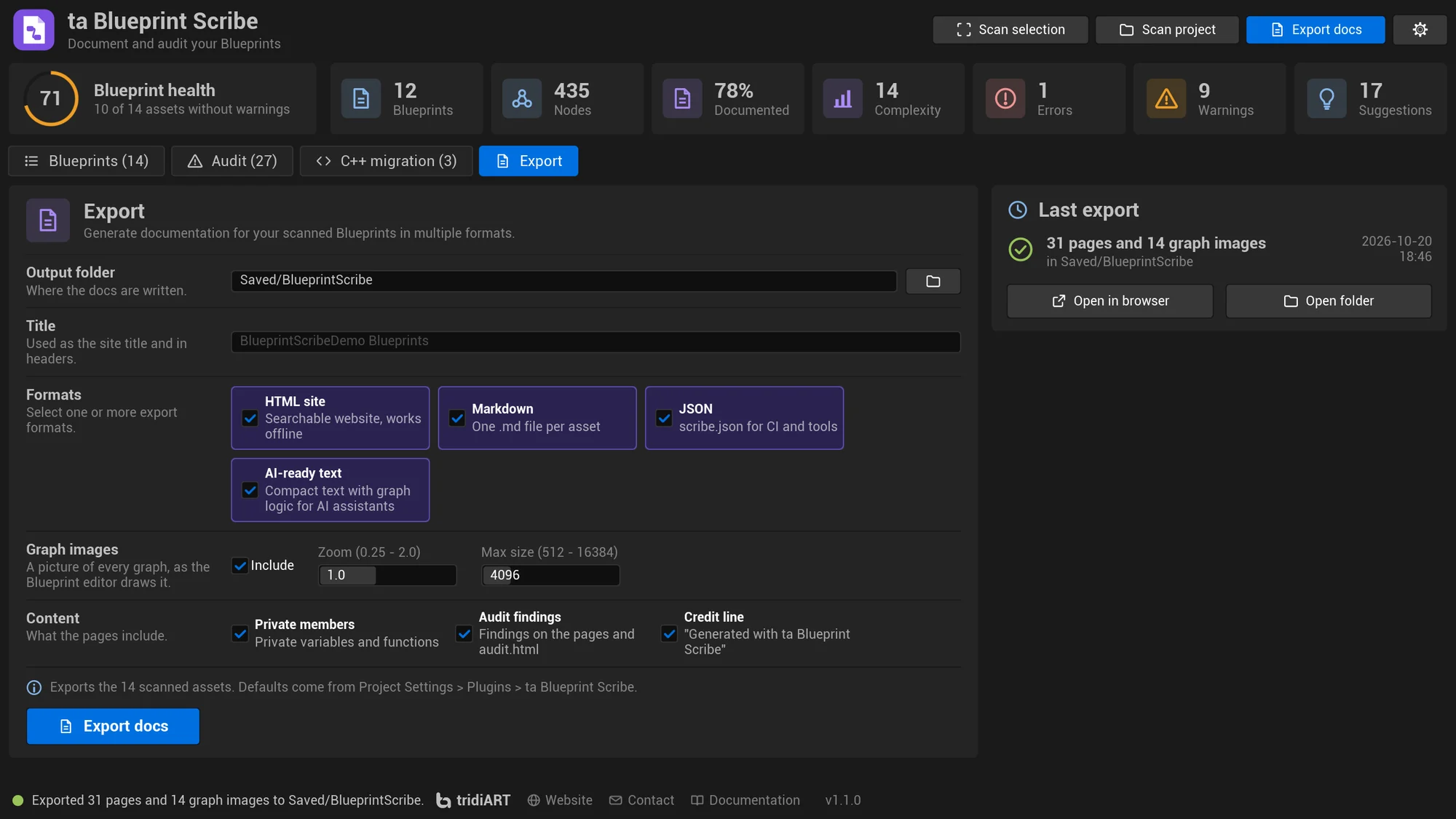
HTML, Markdown, JSON and AI text

A website for the team, Markdown for GitHub wikis or Obsidian, the whole report as JSON for CI, and compact text with the graph logic for AI assistants.

Copy for AI

One click copies a Blueprint, or the whole list, as text an assistant can read: members, graph logic and findings, with a token estimate.

Complexity and C++ candidates

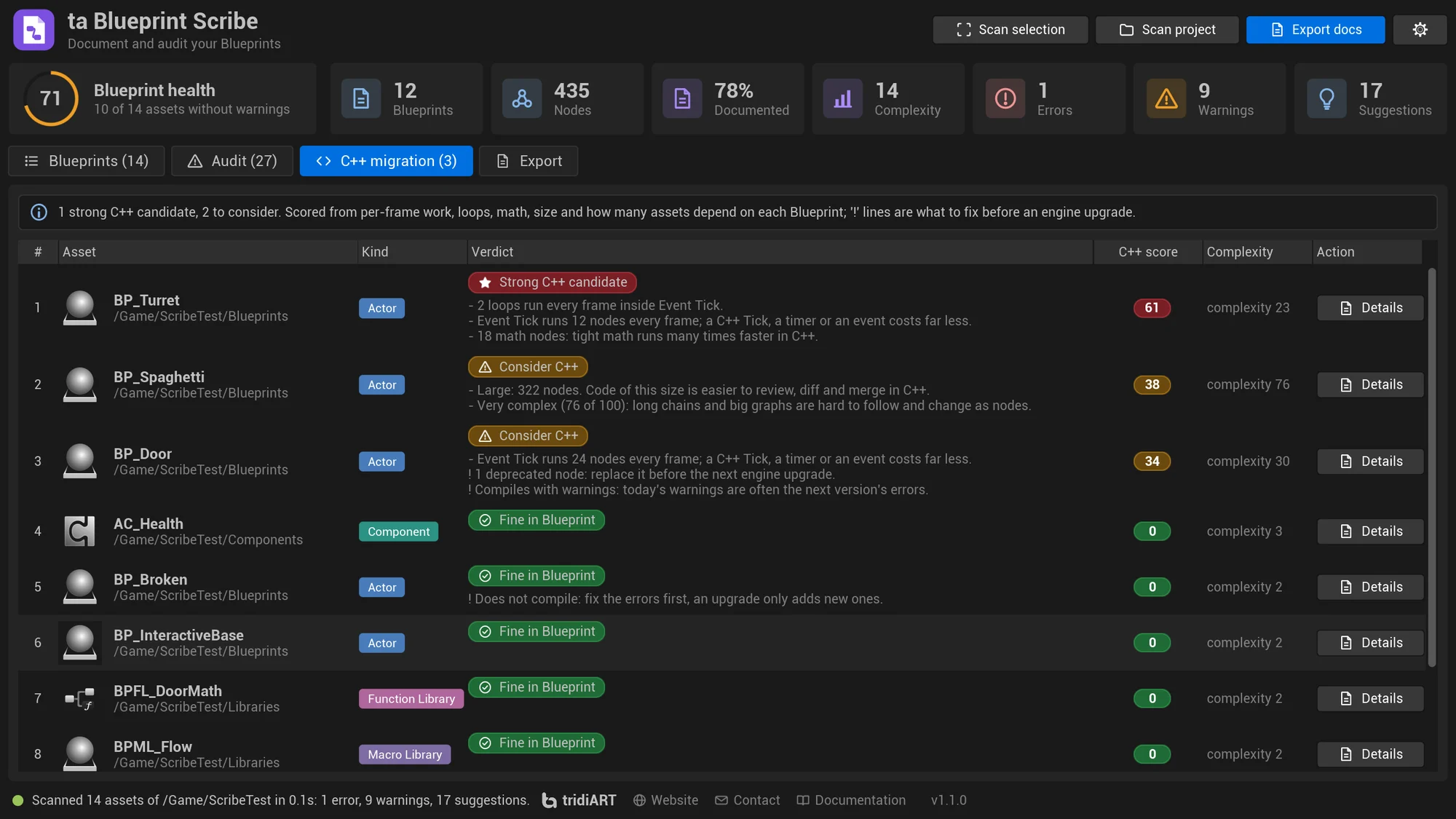
Every Blueprint gets a complexity score and a C++ score with the reasons. The C++ migration page ranks what to port first and what to fix before an engine upgrade.

Clean up in one Undo step

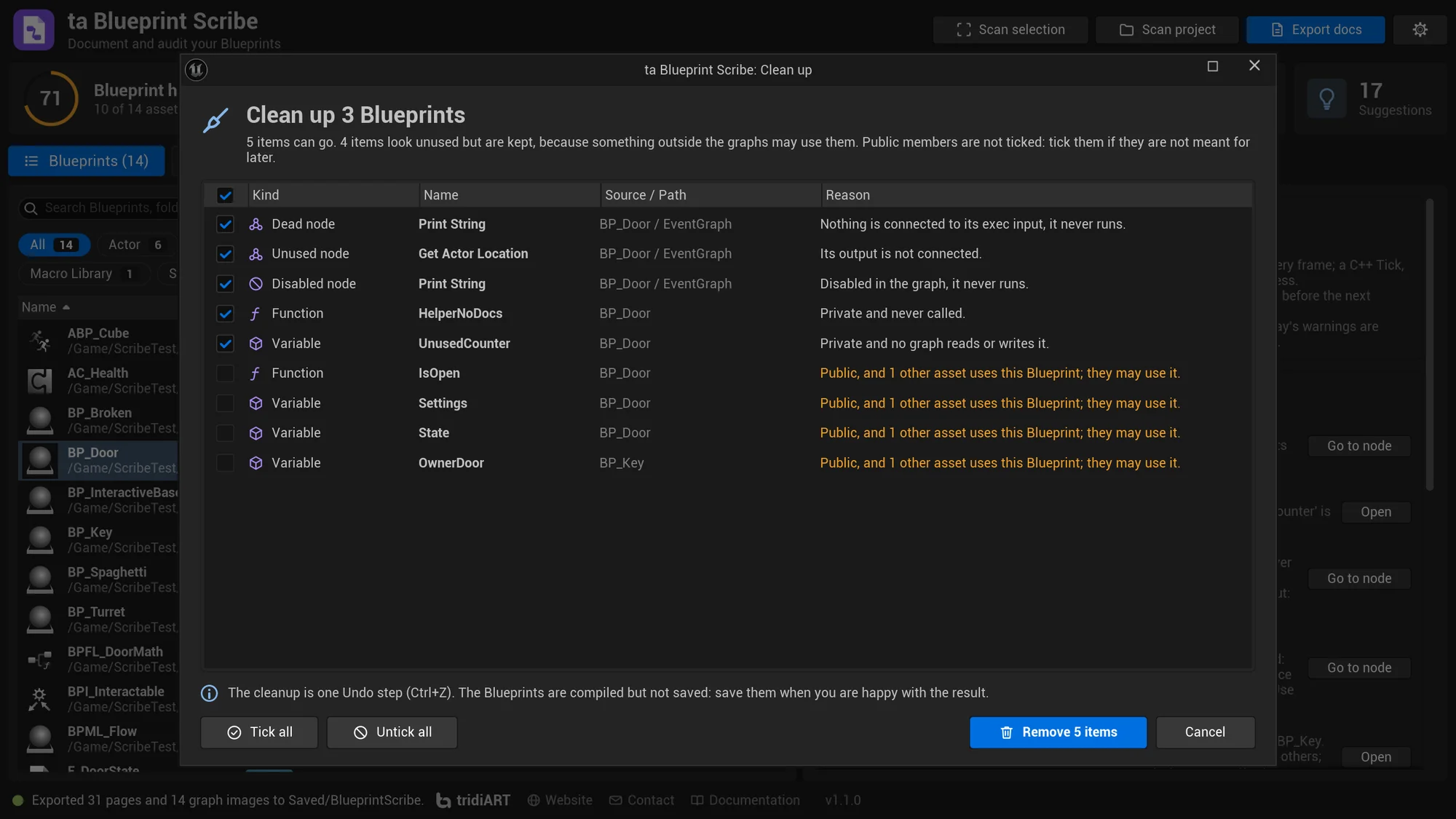
Removes unused private variables and functions, dead, disabled and disconnected nodes after a preview. Public members other assets may use are kept.

References both ways

What each asset uses, hard and soft, and what uses it, including the levels it is placed in.

Documentation coverage

The share of Blueprints, functions, events, dispatchers and public variables with a description, per asset and for the project.

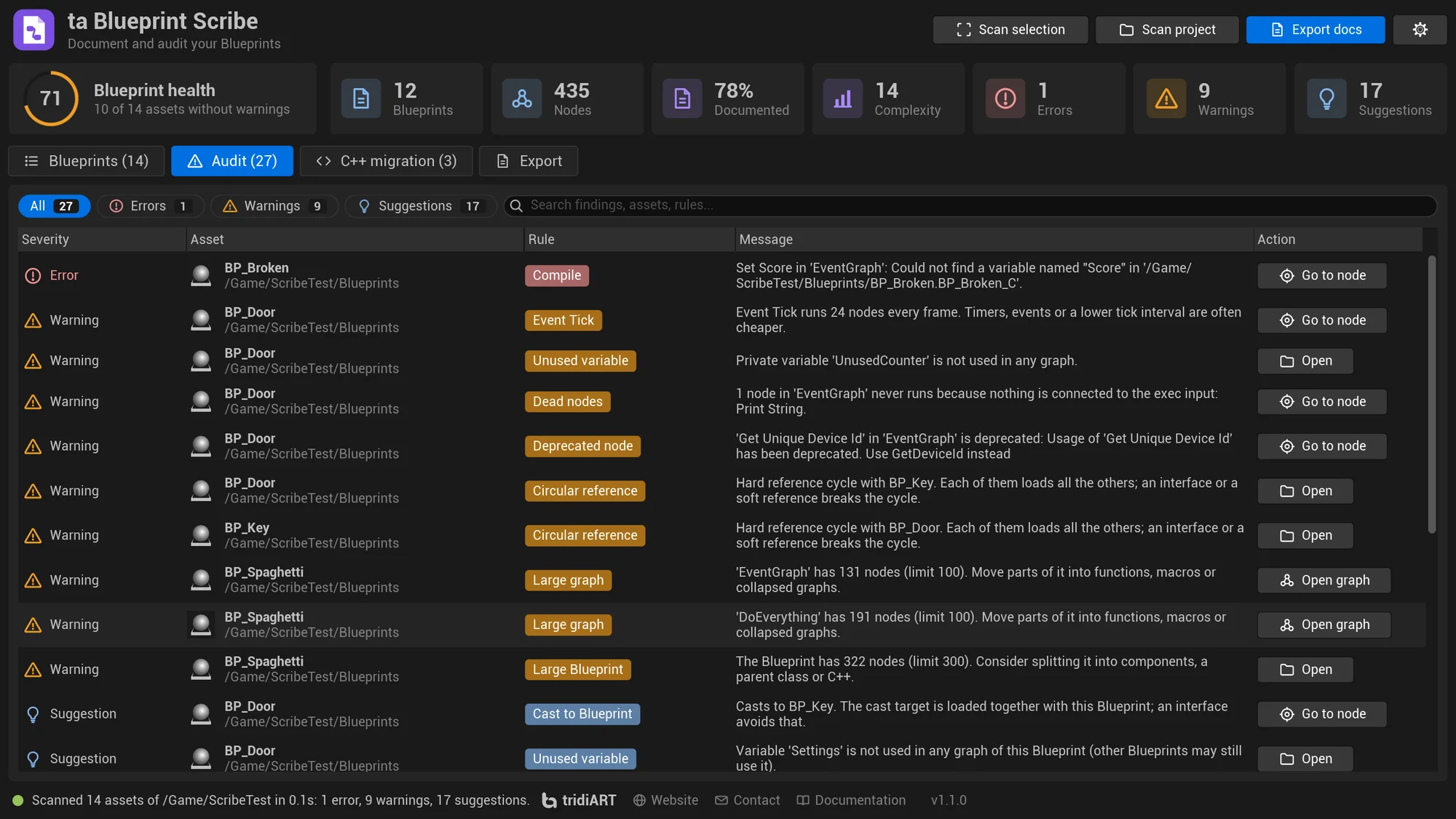
Audit with go-to-node

Findings that point at a node open the Blueprint right there. The audit also runs in Data Validation and on the build server.

Python and Blueprint API

Scan, export and render graph images from your own pipeline scripts and Editor Utility Widgets.

Audit

What to fix, before it hurts.

Thirteen rules. Each one can be turned off and the limits are set in Project Settings, shared with the team.

RuleWhat it findsSeverity
CompileBlueprints with compile errors or warningsError / Warning
Graph.LargeGraphs with more than 100 nodesWarning
Blueprint.LargeBlueprints with more than 300 nodesWarning
TickNodes that run every frame; a warning above 20Warning / Info
References.HeavyAssets that load more than 50 MB of other content, with the biggest culpritsWarning
Cast.BlueprintCasts that make one Blueprint load anotherInfo
References.CircularBlueprints that hard reference each otherWarning
Variable.UnusedVariables no graph reads or writesWarning (private) / Info
Nodes.DeadNodes that never runWarning
Nodes.UnusedPurePure nodes whose output goes nowhereInfo
Nodes.DisabledDisabled nodesInfo
Nodes.DeprecatedDeprecated functions and nodes, with the engine's messageWarning
Docs.MissingAssets, functions, events, macros, dispatchers and non-private variables without a descriptionInfo

Full audit reference

Automate

Docs that update themselves.

Run the commandlet on your build server to publish fresh docs and fail the build on errors, or script the whole thing from Python.

Command line docs
export_docs.bat
UnrealEditor-Cmd.exe MyProject.uproject -run=TABlueprintScribe ^
  -Paths=/Game/Blueprints+/Game/UI ^
  -Output=Docs/Blueprints ^
  -Formats=html,md,json,ai ^
  -FailOn=Error
Get Blueprint Scribe

Free with the Personal license. $29.99 Professional.

Sold on Fab under the Fab Standard License. Both licenses get the same plugin: every feature and the full C++ source, for Unreal Engine 5.0 – 5.8.

Blueprint Scribe is available on Fab now.

PersonalFree

For individuals and companies with up to $100,000 in gross revenue in the last 12 months.

Professional$29.99

For companies with more than $100,000 in gross revenue in the last 12 months.

Get Blueprint Scribe on Fab

Need several seats or a studio agreement? Contact us.

FAQ

Questions, answered.

Still curious? Read the full FAQ or contact us.

Is Blueprint Scribe free?

Yes, with the Fab Personal license. It covers individuals and companies with up to $100,000 in gross revenue in the last 12 months, commercial use included. Above that, the Professional license is $29.99. Both get the same plugin with every feature, graph images included, and the full C++ source.

Does it use AI or send my project anywhere?

No. There is no AI service and no account. Everything is read from your Blueprints in the editor and written to a folder on your machine. The AI-ready text and Copy for AI only prepare text; you decide whether to paste it into an assistant.

What does Copy for AI copy?

Compact text of the assets in the list or of one Blueprint: parents, members, the logic of every graph and the findings, with the number of characters and an estimate of the tokens. Paste it into your AI assistant to ask about a Blueprint or plan a C++ port.

Is Clean up safe?

It shows a preview first and removes only what you tick. Private members nothing uses, dead, disabled and disconnected nodes are ticked; public members are listed but not ticked when other assets use the Blueprint, and Instance Editable, Expose on Spawn and Expose to Cinematics variables are always kept. The whole cleanup is one Undo step, and the Blueprints are compiled but not saved until you save them.

How are the complexity and C++ scores made?

Complexity, 0 to 100, counts nodes, branches, loops, casts, graphs and members. The C++ score looks at per-frame work, loops, math, size and how many assets depend on the Blueprint. Both are explained in the docs, with every point.

Do I need a server to view the docs?

No. The HTML site works offline straight from the folder or a zip. You can also upload it anywhere as a static site, like the sample on this page.

Where do the descriptions come from?

From the Blueprints themselves: Class Settings > Description, the Description of functions, custom events and macros, and the Tooltip of variables. Fill them in and the coverage goes up.

Can it run on a build server?

Yes. The commandlet writes the pages and the JSON report and returns an exit code based on the findings. Graph images need the editor UI, so for images start the editor with a Python script instead.

Will the export delete files in my output folder?

Every export replaces the pages, images, markdown, ai and assets subfolders of the output folder, so use a folder that only holds the docs. Blueprint Scribe marks it with a .blueprint-scribe file.

What about large projects?

Scanning loads every Blueprint once. Scan the folders you need instead of the whole project if you only need part of it.

Which engine versions are supported?

Unreal Engine 5.0 to 5.8, in the editor on Win64, Mac and Linux.